
If you’re a developer in 2026, you’re almost certainly using an AI coding tool. The question is no longer whether to use one, but which one. The two dominant options are Cursor and Claude Code, and if you search around for a comparison you’ll find a lot of benchmark tables and a lot of content written by people with something to sell. So I want to write this from a different angle. I’m a software engineer with 13 years of experience, I run a small agency building custom software for small and medium businesses, and the only thing I actually care about is delivering business value as quickly and effectively as possible. This is about which tool does that better, and why.
My intended audience is another working developer, or a technical founder, trying to decide where to spend their time and subscription money.
To stay fair, I’ll start by acknowledging what each tool does well, because they’re both good and the real answer has some trade-offs.
The models are the same
You can point Cursor at Claude Opus, and Claude Code runs the same family. As of mid-2026 they support the same top-end models at the same underlying price. So model quality, the thing you’d assume the comparison hinges on, isn’t actually the differentiator at all.
If the brains are identical, why does one of them feel so much more productive to work with?
The biggest difference is the human-agent interaction
This, more than anything, is what separates them, and it comes down to a design decision each tool made.
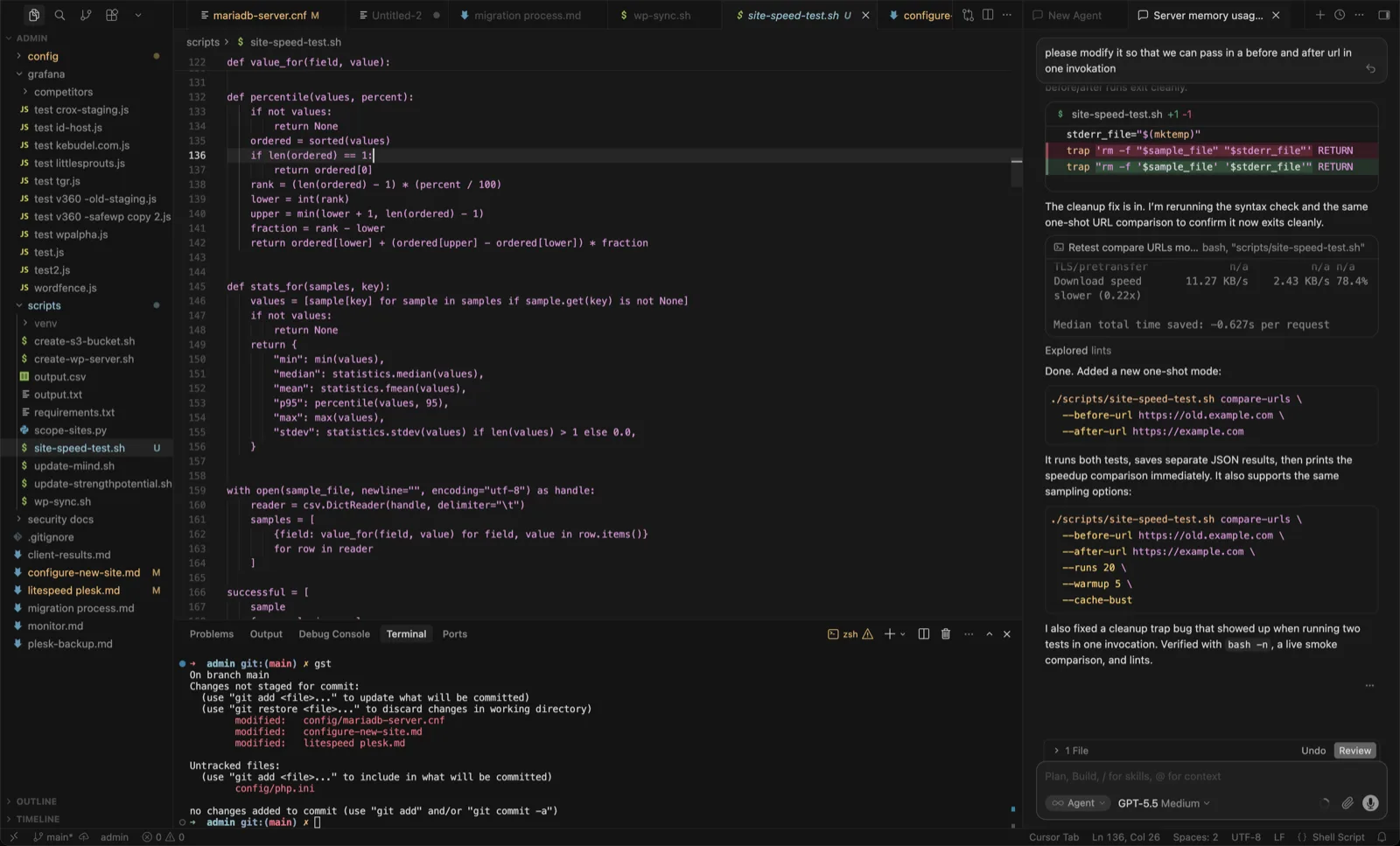
Cursor tried to integrate the AI into the editor. On paper that makes complete sense: your code and your assistant in one place. In practice it means the actual conversation with the AI, the part where you’re reading what it’s doing and steering it, gets crammed into a sidebar. The editor itself ends up slow and cumbersome because it’s carrying the whole agent on top of everything an editor already does. The interaction that matters most is the one that got the least room.
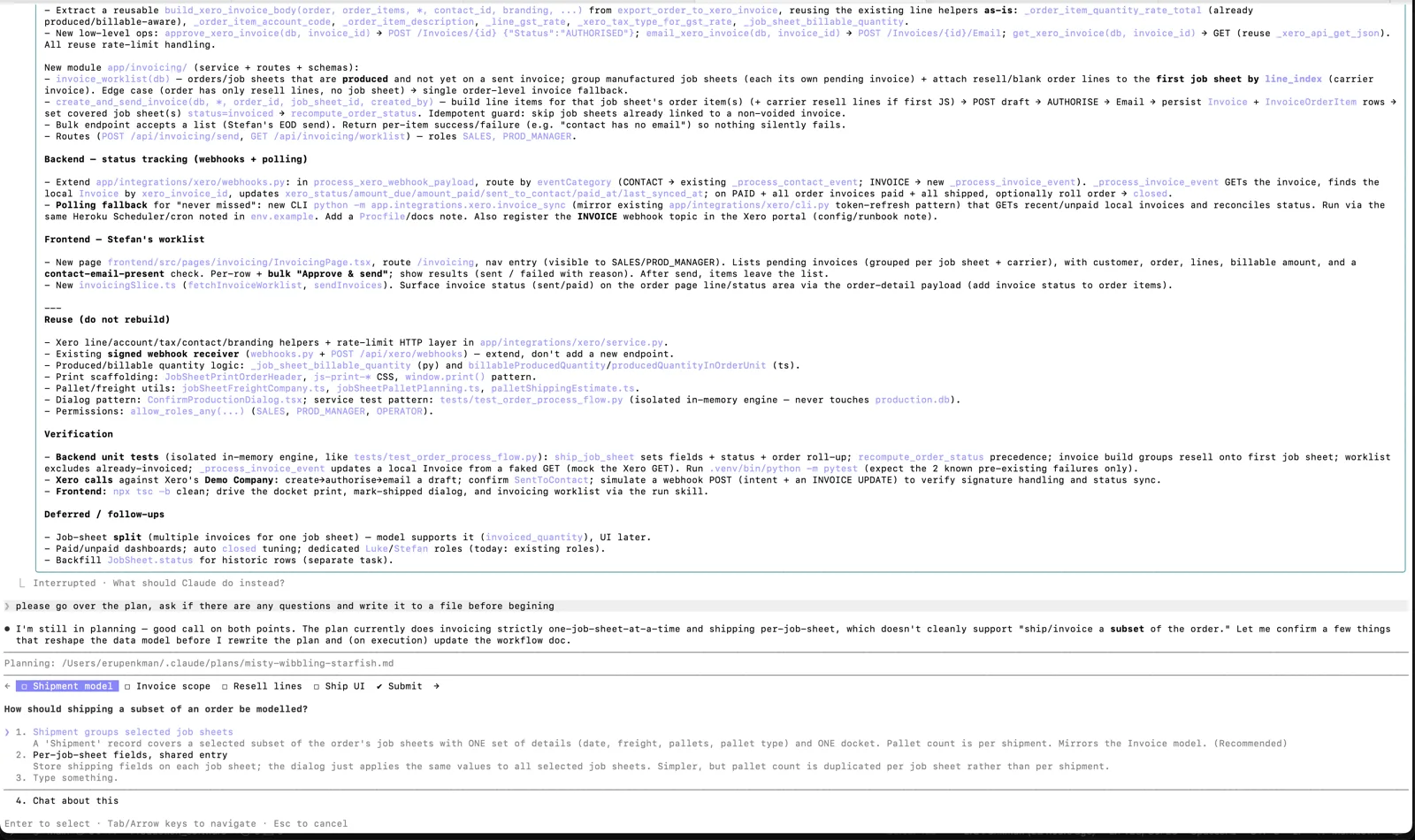
Claude Code goes the other way. It’s AI-first. The interface is built around the conversation, and it encourages you to read the diffs as they happen, gives you feedback, asks questions when it needs a decision. It treats working with the AI as the main event, not a panel bolted onto an editor. And because it doesn’t try to be your editor, you keep using whatever editor you already find most convenient. The AI and the editor stop competing for the same space, and both get to be good at their own job.
Benefits of Cursor
I used Cursor as my daily driver for most of the last year, and I want to be fair to it, because it’s excellent.
Fast at simple, high-frequency work. Cursor’s tab completion is very quick, and for small in-editor edits it’s hard to beat. The benchmark data agrees: for simple utility-function work, Cursor delivers more accuracy per dollar than Claude Code.
Model flexibility. Cursor routes across Claude, GPT and Gemini and can pick the best model per task. If you want a “best tool for this specific job” setup, Cursor gives you that breadth out of the box.
Visual, diff-by-diff control. Cursor keeps you close to every change. You review each diff before it lands. For a lot of developers that control is exactly what they want, and it’s a real feature, not a limitation.
Basically, with Cursor you get a fast, polished, AI-native editor that keeps you in the driver’s seat. For a lot of workflows that’s the right answer.
Downsides of Cursor
The agent and the editor compete for the same space. Because the AI lives inside the editor, the conversation gets cramped into a sidebar and the editor itself slows down, especially if you’re running long conversation histories or multiple tabs.
The control becomes friction on bigger tasks. Approving diffs one at a time is great for small changes and tiring for large, multi-file ones. The thing that’s a feature on a small edit becomes a tax on a big one.
Benefits of Claude Code
I gave Claude Code a proper run on real client work, not toy examples, and I haven’t gone back. Here’s why.
The conversation is the centre of the experience. Working with it feels like pair programming with a super competent colleague rather than babysitting an autocomplete. I describe what I want, it reads the relevant code, makes a plan, asks clarifying questions, makes the changes, runs the tests, and reports back. There’s a very nice rhythm to it.
It’s faster in the way that counts. Not raw tokens per second, but wall-clock time to a working result. It lands complex multi-file changes in fewer iterations. There’s independent data behind this now: on identical tasks Claude Code has been measured using roughly 5.5x fewer tokens than Cursor’s agent, and on complex multi-file work it delivers more accuracy per dollar. That matches my experience. Fewer wrong turns, less rework.
You keep your own editor. It runs in the terminal and leaves your editor alone, so you use whatever you’re already comfortable with. I can keep reading code and thinking while it works, and nothing slows down.
The tool use is better. This is the one that sold me. It opens GitHub PRs, spins up git worktrees outside the codebase so a long-running task isn’t stepping on what I’m doing, runs tests and iterates on the output. It behaves like it understands how software actually gets shipped, not just how code gets typed.
Downsides of Claude Code
One model family, not many. You get deep, native integration with Claude rather than the ability to route across providers. For me the depth wins, but if model variety matters to your workflow, that’s a real trade-off.
Less hand-holding on each change. The flip side of autonomy is that you’re reviewing larger chunks of work rather than approving every diff. If you like tight, granular control, that takes adjustment.
This pattern keeps repeating
If you’ve read my other posts, you’ll recognise what’s happening here. With WordPress hosting, I went down a performance rabbit hole and discovered the thing that actually drives the result isn’t core count or RAM; it’s single-threaded CPU speed. Once I knew the real lever, I rebuilt around it and ended up faster than hosts many times my size.
This is the same shape of realisation. Once the models converge, the model stops being the leverage. The thing that actually drives your productivity is how the tool fits the way you work: a conversation that gives you room to steer, an editor that stays out of the way, and integration with the real mechanics of shipping software: branches, PRs, tests, long-running tasks. That’s what separates these two tools, and it’s the part the benchmark tables tend to miss.
What this means for the economics of building
Here’s why this matters beyond personal preference, especially if you run a small shop like I do.
When the time and cost to build something drops, the economics of who can profitably build it change. Work that wasn’t worth quoting last year, because the hours didn’t fit the client’s budget, becomes viable. A custom integration, an internal tool, a proper fix instead of a workaround. For the small and medium businesses I build for, that’s the difference between “we’ll just live with it” and “let’s build the thing.”
But the savings don’t automatically flow to the developers who “deserve” them. They flow to the ones who actually restructure how they work to capture them. If you’re pricing and building the way you did two years ago, you’re leaving the advantage on the table, and eventually someone who adapted will quote the same job for less and deliver it faster. That’s been true of every tooling shift in my career, and it’s true again now.
Summary
There’s a real case for each tool, and the right answer depends on your work.
I’d reach for Cursor if most of my day was small, fast, in-editor edits, if I wanted granular diff-by-diff control, or if routing across multiple model providers mattered to me.
I’d reach for Claude Code for autonomous, multi-file work, large refactors, and long-running tasks where I want to hand off a job and trust it to use real developer tooling (PRs, worktrees, tests) to get it done. That’s where I’ve landed for my own work.
The models are a commodity now. How you build with them isn’t. That’s where the edge is, and it’s why adapting to these tools quickly is one of the better investments a developer can make right now. More reading: https://www.prodmgmt.world/tools/compare/claude-code-vs-cursor https://claudefa.st/blog/tools/extensions/claude-code-vs-cursor